
Shift planning directly in SAP SuccessFactors
Build schedules for individuals, groups and entire teams using current employee and time data. Shift Planning shows employee availability, simplifies bulk changes and sends published shifts to SAP SuccessFactors Employee Central.
Build shift schedules using the data already available in SAP SuccessFactors
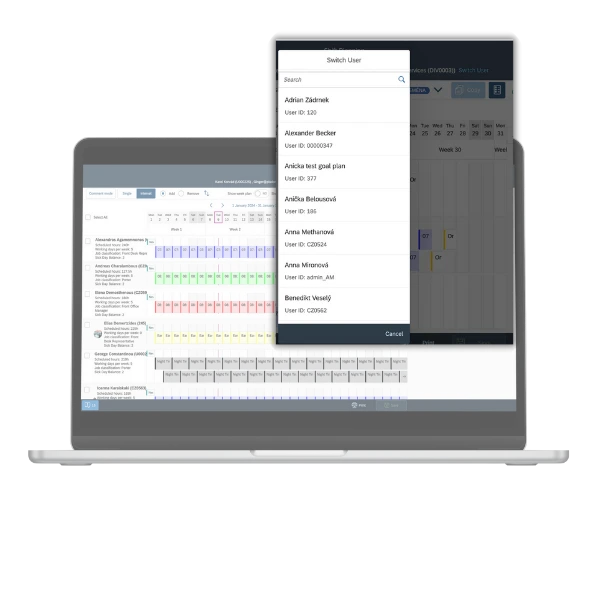
Shift Planning provides bidirectional integration with SAP SuccessFactors Employee Central. The planning view brings together employees, reporting relationships, day models, holidays, other absences and public holidays. Managers do not need to maintain a separate employee list or check availability in another system.
Once a schedule is published, planned shifts are synchronised with Time Sheet in Employee Central. Employees work with the current schedule, while changes no longer remain isolated in spreadsheets that need to be manually re-entered.
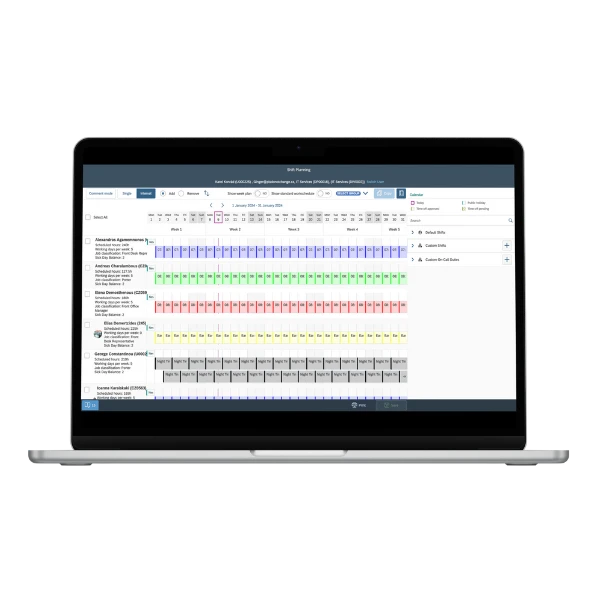

What you can manage in Shift Planning
From a quick adjustment to one shift to a longer-term schedule for the entire team.
Individuals, groups and entire teams: Schedule one employee, a selected group or multiple people at once. Groups can be created around job roles, shift types, departments or other planning criteria.
Standard and custom shifts: Use standard SAP SuccessFactors day models or create custom shifts and on-call duties. Administrators can define the minimum and maximum permitted shift length.
Schedule reuse and quick changes: Drag shifts across the calendar, reuse existing schedules for other employees or periods, and update multiple items without entering the same information repeatedly.
Working-time overview: Compare planned hours with working-time targets. Shifts, absences, holidays and public holidays remain visible in the same planning view.
From selecting a team to publishing the schedule
- Current data is loaded
Shift Planning retrieves employees, reporting relationships, day models and available time data from SAP SuccessFactors, including holidays, absences and public holidays. - The manager selects a team and period
The manager chooses employees or a prepared group and sets the week, month, quarter or another period to be scheduled. - Shifts and on-call duties are assigned
The manager uses standard SAP SuccessFactors models or custom shifts and on-call duties. Items can be moved, copied and supplemented with comments. - The schedule is updated in bulk
The same shift can be assigned to multiple employees and an existing schedule can be reused for another period. Changes do not need to be repeated row by row. - Planned working time is checked
Before publication, the manager can see planned hours, working-time targets and employee absences and adjust the schedule accordingly. - The schedule is published and shared
Employees can be notified about assigned shifts, the schedule can be printed or generated as a PDF, and published shifts are synchronised with Time Sheet in Employee Central.
Custom shifts and on-call duties for your operation
Not every operation can rely solely on standard day models. Shift Planning therefore enables you to create and edit custom shifts and on-call duties and combine them with the models maintained in SAP SuccessFactors.
Administrators define the permitted minimum and maximum shift length and decide which information should be displayed in the planning view. Managers then work within prepared rules instead of configuring them for every new schedule.
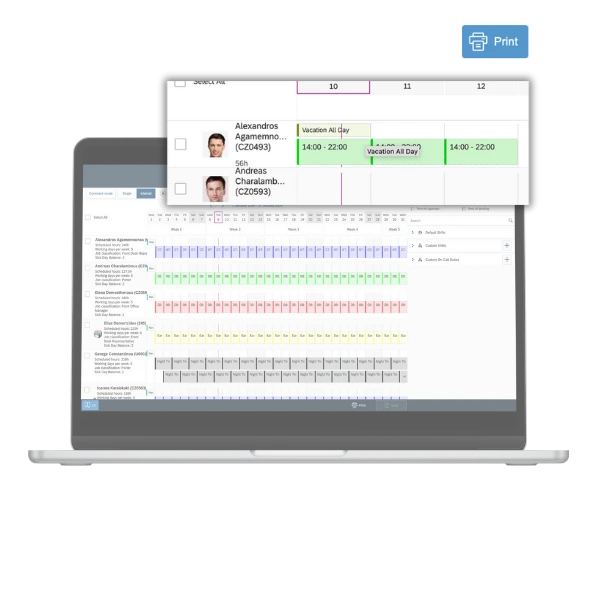
Absences, holidays and public holidays in the planning view
When scheduling shifts, managers can see absences retrieved from Employee Central. This makes it easier to understand who is available on a particular day without checking holidays or other absences in a separate list.
The view can be adapted to the customer’s needs and can, for example, include pending holiday requests. The resulting schedule is therefore based on the same source data as the related HR processes.
Benefits for every role
Managers and planners: Employees, groups, shifts, absences and planned hours are available in one planning view. Schedules can be reused, updated in bulk and supplemented with comments.
Employees: Employees receive information about assigned shifts and have access to the current schedule. Depending on the operation, they can view it electronically or use a printed or PDF version.
HR and solution administrators: They configure custom shifts, on-call duties, shift lengths, employee groups and the information displayed in the planner while using employee and time data maintained in SAP SuccessFactors.
Operations management: Operations teams gain a more consistent planning process across teams and an overview of planned hours and working-time targets without parallel spreadsheets.
Configuration that reflects your organisation and working practices
Employee groups: Create and update groups based on organisational structure, job roles, shift types or other criteria used during planning.
Planning view: Choose which information managers should see, such as absences, public holidays, planned hours or pending holiday requests.
Shift rules: Combine standard day models with custom shifts and on-call duties. Define minimum and maximum shift lengths to reflect operational requirements.
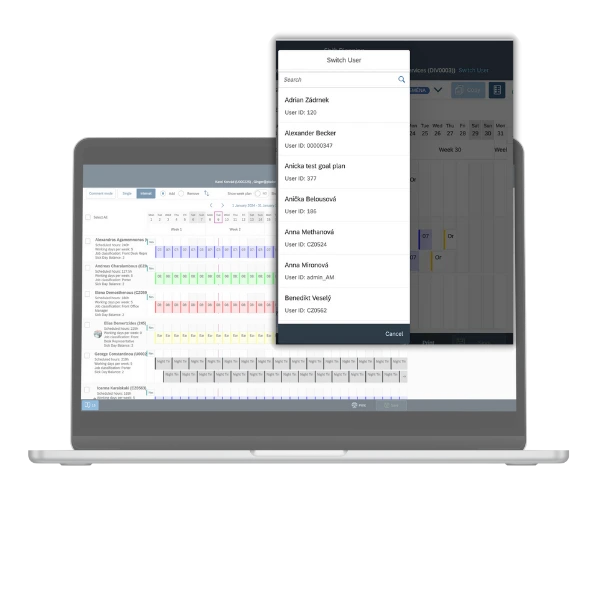
Delegation: Allow an authorised substitute to take over scheduling during the responsible manager’s holiday, sickness or other absence.
The current schedule for screens, mobile devices and notice boards
Employees can be notified about assigned shifts after publication. Operations that still use physical notice boards can print the schedule or generate it as a PDF. Everyone therefore works with the same version of the plan.
See how Shift Planning would work in your operation
During the demo, we will cover scheduling for an individual and an entire team, working with shifts and absences, monitoring planned hours and connecting the process with SAP SuccessFactors Employee Central.
Frequently asked questions about Shift Planning
- What is Shift Planning?
Shift Planning is a shift-scheduling application integrated with SAP SuccessFactors Employee Central. It gives managers a shared view of employees, shifts, on-call duties, absences and planned working time. - Which SAP SuccessFactors data does Shift Planning use?
The application works with employee and organisational data, day models and available time data. The planning view can display holidays, other absences, public holidays and, depending on the configuration, pending holiday requests. - Can managers schedule multiple employees at once?
Yes. Shifts can be assigned to individuals, selected groups or multiple employees at the same time. Existing schedules can be copied and reused for another period. - Does the application support custom shifts and on-call duties?
Yes. In addition to standard SAP SuccessFactors day models, managers can use custom shifts and on-call duties. Administrators can also define minimum and maximum shift lengths. - How are planned shifts transferred to SAP SuccessFactors?
Published shifts are synchronised with Time Sheet in SAP SuccessFactors Employee Central. The exact integration scope and mapping are configured for the customer’s environment. - How are employees informed about a new schedule?
Employees can be notified about assigned shifts. The prepared schedule can also be printed or generated as a PDF for operations that use physical schedules. - What happens when the responsible manager is unavailable?
Planning responsibilities can be delegated to an authorised substitute. The team can therefore continue preparing and updating the schedule while the manager is on holiday, off sick or otherwise absent.