
Business travel and employee expenses from request to reimbursement
Trippy brings together business trip requests, approvals, advance payments, trip claims and standalone employee expenses in one solution integrated with SAP SuccessFactors. Employees enter information and supporting documents in a clear interface, approvers make decisions in a controlled workflow, and finance teams receive structured data for posting and reimbursement.
One process for trip requests, claims and everyday expenses
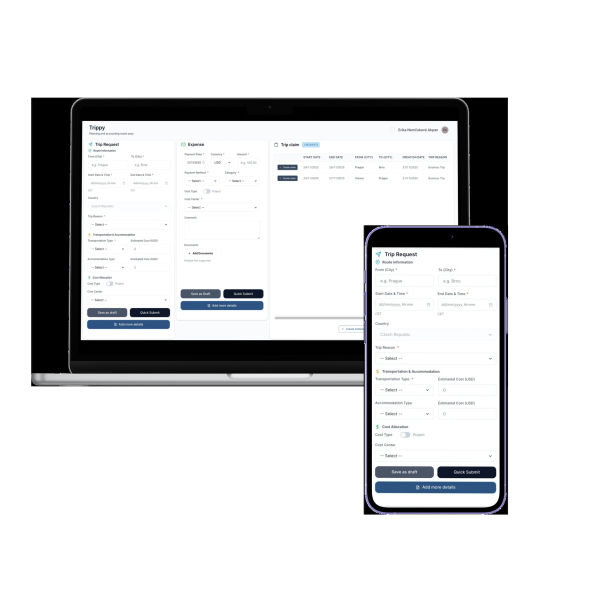
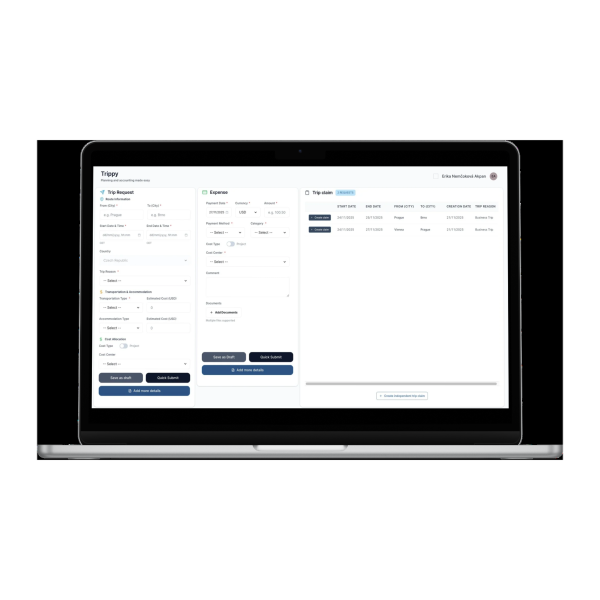
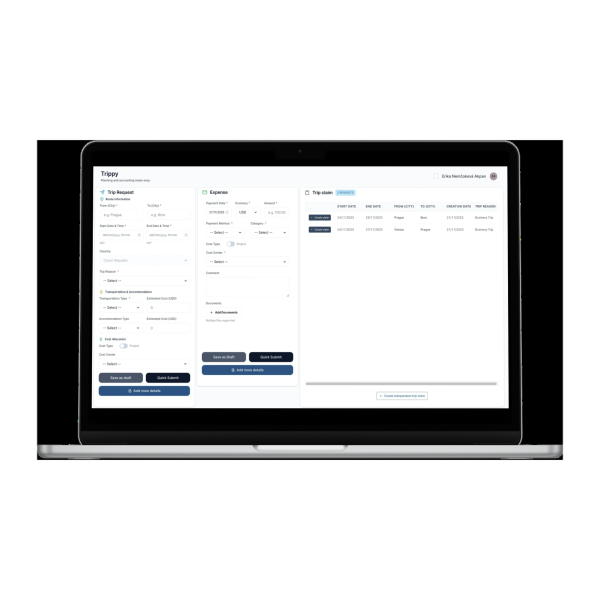
A business trip starts with a request containing the route, dates, purpose, planned transport, accommodation, advance payment and estimated costs. Trippy routes it for approval and, after the employee returns, continues with a claim for actual expenses and travel allowances.
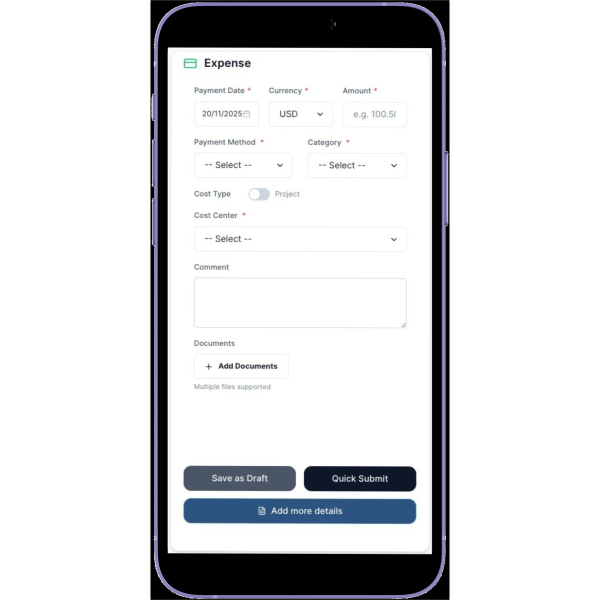
Standalone employee expenses can also be processed without a business trip. The user enters the date, currency, amount, category, payment method and cost allocation, attaches one or more supporting documents and submits the expense through the same controlled process.

What Trippy covers
From travel planning to financial settlement, information, documents, decisions and request statuses remain in one place.
Business trip requests: Domestic and international trips, multi-leg routes, dates, purpose, planned transport and accommodation, travel companions, advance payments, estimated per diems and total costs.
Business trip claims: Actual routes, border-crossing times, transport, accommodation, incidental expenses, provided meals, per diems, advance payments and the final amount to be reimbursed.
Expenses outside business trips: Standalone employee expenses with category, currency, payment method, description, documents and allocation to a cost centre, order or project.
Vehicles and payment cards: Private vehicle records and mileage reimbursement, vehicle approval and a clear distinction between expenses paid in cash, by personal card or by corporate card.
From a planned trip to a reimbursed expense
- The employee creates a request
They enter the route, dates, purpose, transport, accommodation, any travel companions, cost allocation and requested advance payment. Trippy also prepares an estimate of the expected costs. - The request goes through approval
The request is routed to the responsible approvers according to the configured workflow. They can approve, reject, return it for additional information or delegate it. - Expenses are collected during the trip
The user records transport, accommodation and other costs in different currencies and attaches the relevant documents. Expenses can also be submitted separately outside a business trip. - Trippy prepares the trip claim
The claim combines the actual route, times, provided meals, travel allowances, per diems, advance payments and individual expenses. The financial summary shows the resulting amount. - The claim is reviewed and approved
Approvers and finance teams can see the expense items, documents, cost allocation and process history. They can approve, return, reject or delegate the claim. - The amount is posted and reimbursed
Approved data can be transferred to payroll or sent for reimbursement by bank transfer outside the payroll closing cycle, based on the employee’s preferred method.
Per diems and travel allowances based on the actual trip
For international travel, individual route legs, countries and border-crossing times can be recorded. Trippy uses this information to prepare a daily and currency-based overview of per diems. Trip duration and any breakfast, lunch or dinner provided are taken into account.
The financial summary separates per diems, transport, accommodation, other expenses and advance payments. Before submission, both the employee and the approver can see the total and the amount to be reimbursed. The current release supports Czech Republic business travel rules.
Through payroll or directly to the employee’s bank account
Employees can set their preferred reimbursement method: payment through payroll or by bank transfer. Trippy displays this choice in the claim’s financial summary and prepares the approved amount for downstream processing.
A set of eight integration endpoints transfers the data for payroll posting or reimbursement to the employee’s bank account outside the payroll closing cycle. The company therefore does not have to tie every reimbursement to a single payroll date.
Benefits for every role in the process
Employees: Requests, expenses, documents and their current status are available in one place. Employees can save work in progress, use quick entry and select their preferred reimbursement method.
Approvers: A single overview shows the request type, employee, route, dates, amount and cost allocation. Approvers can approve, return, reject or delegate the request.
Finance and payroll teams: They receive structured, approved data including currencies, per diems, advance payments, documents and cost allocation. The resulting amount can be transferred to payroll or reimbursed by bank transfer.
Administrators and HR leadership: They can configure roles, permissions, approval steps, company entities, reference data and integrations. The audit trail provides transparency across approval and financial operations.
Connected to SAP SuccessFactors and financial processes
Trippy uses organisational and employee data from SAP SuccessFactors and follows the company’s approval structure. Costs can be allocated to cost centres, orders or projects and processed according to the company’s internal rules.
After approval, the application prepares data for further financial processing. Integration interfaces support both payroll posting and reimbursement by bank transfer outside the payroll closing cycle.
Configured around your process
Approval workflows: Define approval steps and dynamic roles. Approvers can approve, return, reject or delegate a request, and bulk approval is also available.
Roles and permissions: Control who creates requests, who approves them, who performs financial validation and who manages the application configuration.
Company rules and reference data: Configure company entities, expense categories, transport methods, cost objects, currencies, payment methods and other values used in the forms.
Audit trail and history: Track approval and financial operations. Audit records can be viewed and exported to CSV or PDF when required.
See how Trippy connects business travel, expenses and reimbursement
During the demo, we will follow the employee, approver and finance journey—from a business trip request and allowance calculation to the final claim and transfer to payroll or bank reimbursement.
Frequently asked questions about Trippy
- What is Trippy?
Trippy is a Travel & Expense Management solution integrated with SAP SuccessFactors. It covers business trip requests, approvals, travel allowances, trip claims and standalone employee expenses. - Does Trippy support domestic and international business travel?
Yes. Requests and claims can include domestic and international multi-leg routes, transport, accommodation, advance payments and expenses in different currencies. The current release supports Czech Republic travel expense rules. - How does Trippy calculate per diems?
The calculation uses trip dates, individual countries, border-crossing times and any meals provided. The claim overview then shows per diems by day and currency, together with their total in the financial summary. - Can Trippy process an expense unrelated to a business trip?
Yes. An employee can create a standalone expense and add the date, currency, amount, category, payment method, description, cost allocation and one or more supporting documents. - Does Trippy support private vehicles and corporate payment cards?
Yes. Private vehicle data required for mileage reimbursement can be recorded, and vehicle use can be approved. Expenses can distinguish between cash, personal card and corporate card payments, making it clear which amount should be reimbursed to the employee. - How are employees reimbursed?
Employees can select their preferred reimbursement method. The approved amount is transferred either to payroll or for payment to the employee’s bank account outside the payroll closing cycle. - How is Trippy connected to SAP SuccessFactors?
Trippy uses employee and organisational data from SAP SuccessFactors across requests, approval roles and downstream financial processes. The exact integration scope is configured for the customer’s environment. - Can the approval and change history be audited?
Yes. Trippy maintains an audit trail of approval and financial operations. Records can be viewed and exported to CSV or PDF.